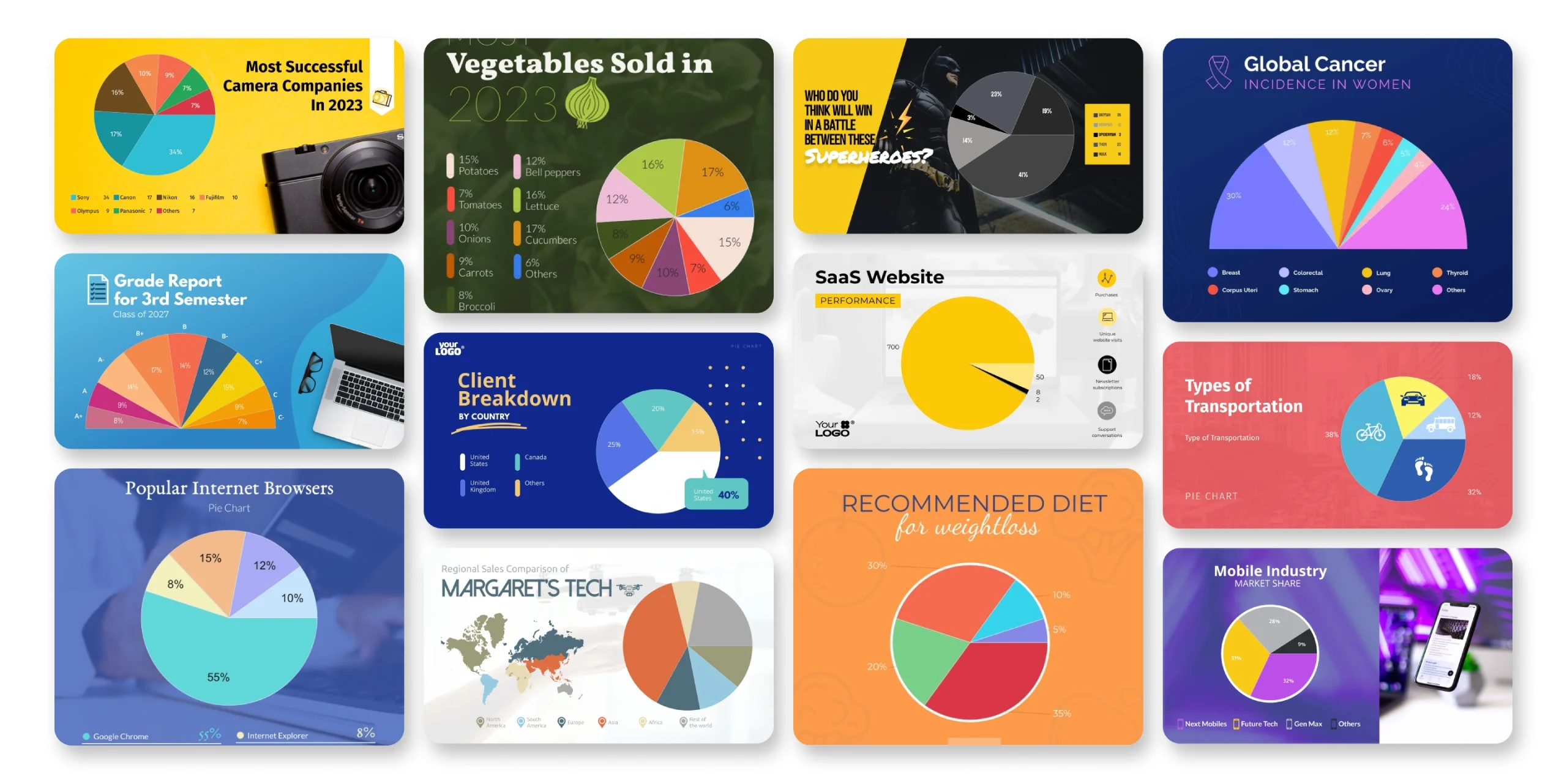
If you have ever stared at a spreadsheet full of numbers and wondered how to make that data actually mean something to your audience, you are not alone. Pie and donut charts are among the most powerful ways to communicate proportional data at a glance, but the process of building them has historically felt like a job for designers or data analysts. That gap is closing fast. Today’s online design platforms give anyone, regardless of skill level, access to professional-grade chart templates that are ready to customize in minutes. You do not need a design degree, a data background, or a paid creative team. You just need the right tool and a few simple tips.
Why Pie and Donut Charts Still Work So Well
Before diving into the how, it helps to understand why these chart types remain so popular across industries. Pie charts divide a whole into its parts, making it instantly clear how one segment compares to the rest. Donut charts do the same thing but leave space in the center, which can be used for a label, a total, or simply a cleaner visual aesthetic. Both chart types work well for presentations, infographics, social media graphics, reports, and marketing materials.
The reason they resonate so strongly with audiences is rooted in psychology. Humans are wired to interpret visual patterns faster than they can process raw numbers. A well-designed pie chart communicates your message before someone reads a single word. That is why it matters to get the design right, and why starting with a polished template is almost always a better strategy than building from scratch.
The good news is that professional design tools have made this process remarkably approachable. The best platforms combine ready-made templates with intuitive editing so that the only thing you are actually thinking about is your data.
What to Look for in an Easy-to-Use Chart Design Tool
Not all chart makers are created equal. If your goal is to create something that looks professional without spending hours learning software, here is what separates the tools worth your time from the ones that will frustrate you.
Look for a platform that offers a genuine library of professionally designed templates, not just blank grids. Templates do the heavy lifting on layout, color selection, and typography so you can focus on your content. The best tools let you swap out colors, fonts, and labels without disrupting the overall structure.
You also want a tool that supports direct data input inside the design interface. That means you should be able to type your values directly into the chart rather than importing a spreadsheet or writing code. This keeps the process fast and eliminates technical barriers for non-designers.
Finally, pay attention to export and sharing options. A chart is only useful if you can get it out of the tool and into your presentation, report, or social post with ease. The best platforms let you download your design in multiple file formats and share directly from the platform.
8 Tips for Creating Pie and Donut Charts That Actually Look Great
- Start with a template, not a blank canvas.
This is the single most important tip for non-designers. Professionally designed templates are built around visual principles that take years to develop. When you start from a template, you inherit good proportions, readable font pairings, and balanced color schemes. Your job becomes customization, not creation from scratch, and that is a much faster and more forgiving process.
- Limit your slices to five or fewer.
Pie and donut charts lose their visual clarity when they have too many segments. If your data has eight categories, consider grouping the smallest ones into an “Other” slice. The goal of a chart is to communicate quickly, and a clean chart with five segments will always be more readable than a crowded one with twelve.
- Use color intentionally, not decoratively.
Colors in a chart carry meaning. Use your most prominent or most important data segment as the anchor color, then build a supporting palette around it. Many design platforms offer pre-set color schemes that are already harmonized, which takes the guesswork out of pairing. Avoid using colors that are too similar in value or hue, as they will blur together when printed or viewed on a small screen.
- Add labels directly to your segments when possible.
Legends require your audience to look away from the chart and back to a key. Wherever space allows, label your segments directly with the category name and percentage. This keeps eyes on the data and makes the chart readable as a standalone graphic even when pulled out of a larger document.
- Choose a donut chart when you want to add a central label.
If your chart needs to communicate a total, a title, or a key number, the donut format gives you a natural space to put it. That empty center ring is design real estate. A well-placed central label transforms a simple chart into a self-contained data story.
- Stay consistent with fonts across your design.
One of the most common mistakes non-designers make is mixing too many font styles. Pick one font for your labels and stick with it. Adjusting size and weight (bold vs. regular) is enough to create visual hierarchy without introducing inconsistency. Most good design tools have built-in font recommendations to make this easy.
- Use a practical how-to approach with the right tool.
One of the fastest ways to go from raw data to a finished chart is to use a chart maker that combines templates with direct data input in a single workspace. Here is the basic workflow: open the tool and browse the template library to find a pie or donut chart that matches your use case. Select it, then click into the chart element to enter your data labels and values. As you type, the segments automatically resize to reflect your numbers. From there, swap the color scheme to match your brand, update the fonts if needed, and add any supporting elements like a title or icon. When you are done, download the file and drop it into your presentation or document. The entire process, from template selection to finished export, can take less than ten minutes for a clean, single-chart graphic.
- Build a reusable template for recurring reports.
If you create charts regularly, whether for a weekly report, a monthly dashboard, or an ongoing campaign, save your customized design as a template. Most design platforms allow you to save a branded version of your chart so that you only need to update the data the next time, not redo the design. This is one of the biggest time-saving habits a non-designer can build.
How to Pick the Right Chart Type for Your Data
Knowing when to use a pie chart versus a donut chart is a small but meaningful design decision. Pie charts work best when the filled shape itself communicates completeness. There is something psychologically satisfying about a full circle divided into its parts. Use a pie chart when you want maximum visual simplicity and do not need a central callout.
Donut charts are better when you want to add context inside the chart itself. The center is often used for a total value, a key metric, or a short title. Donut charts also feel more modern visually, which can be a factor if you are designing for a professional presentation or a branded report.
If you are visualizing progress toward a goal rather than parts of a whole, consider a progress donut or a half-donut gauge chart instead. These variants are available in most modern design tools and communicate directional data more accurately than a standard pie format.
How to Match Your Chart to Your Brand
One of the fastest ways to elevate a chart from generic to professional is brand consistency. This means using your organization’s actual colors, fonts, and logo rather than default template styles. Most online design platforms make this easy with brand kit features that let you save your palette and fonts for use across all your designs.
Even if you do not have a formal brand kit, you can create one on the fly by identifying two or three colors your organization uses consistently and building your chart palette around them. Match the font to whatever typeface appears in your other materials. Add a small logo in a corner if appropriate. These small steps create visual cohesion that signals credibility and attention to detail to anyone who views your charts.
Brand consistency also speeds up future projects. Once you have established your standard chart style, replicating it for new data sets takes a fraction of the time.
Frequently Asked Questions
Do I need any design experience to create professional-looking pie or donut charts?
Not at all. The whole point of modern online design tools with pre-built templates is to remove the design barrier entirely. You are not making aesthetic decisions from scratch. Instead, you are customizing a professionally designed framework by swapping out data, colors, and text. The hardest part is usually deciding which template fits your content, and even that is made easy by filtering templates by style or use case. If you can type numbers into a field and click to change a color, you have everything you need to create a chart that looks like a designer made it.
What is the difference between a pie chart and a donut chart, and when should I use each?
A pie chart is a solid circle divided into wedge-shaped segments, while a donut chart has a hole in the middle. They both represent the same type of data: proportions of a whole. The choice between them is mostly about aesthetics and whether you want to use that center space for a label, number, or title. Donut charts have a slightly more contemporary visual feel and are popular in dashboards and reports. Pie charts feel more traditional and are often used in educational or presentation contexts. Either format works well when you have a small number of clearly differentiated segments.
How many data points can I include before a pie or donut chart becomes hard to read?
Design best practices suggest keeping it to five segments or fewer. Once you go beyond five, the smaller slices become difficult to distinguish visually, and the chart starts to look cluttered rather than clear. If your data genuinely has more categories, group the smallest ones into an “Other” category and note the breakdown in accompanying text or a table. Alternatively, you might consider whether a different chart type, such as a bar chart, would handle more categories more gracefully. The goal of any chart is clarity, and a simpler pie chart with five segments will almost always communicate more effectively than a complex one with ten.
Can I use these charts in presentations, reports, and social media without looking like I used a template?
Yes, and this is where customization matters. The difference between a chart that looks templated and one that looks custom is usually brand integration. When you replace the default colors with your own palette, swap in your fonts, and adjust the layout to suit your specific data, the template becomes invisible. Most people who view your final chart will have no idea it started from a pre-made design. For social media specifically, pairing your chart with a strong headline or a relevant background image can make the graphic feel even more original. Tools like Google Slides offer ways to embed or present your chart alongside other branded content once it is exported, making it a natural fit for both internal and external sharing.
What file formats should I download my chart in, and does it matter?
It does matter, depending on where you plan to use it. For presentations and documents, PNG is the most universally compatible format and will keep your chart looking sharp. If you need a transparent background so the chart floats over a colored slide or page, look for a PNG with transparency option. For print materials like brochures or handouts, a PDF or high-resolution PNG is preferable. For social media, JPEG or PNG both work well, though PNG tends to preserve the crispness of text and fine lines better. Some platforms also offer SVG downloads for scalable vector graphics, which are ideal if the chart will be displayed at varying sizes. When in doubt, PNG at the highest available resolution is a safe default for most non-print use cases.
Conclusion
Creating professional pie and donut charts no longer requires design skills, data expertise, or expensive software. With the right online tool and a library of polished templates at your fingertips, the process from concept to finished graphic can take just a few minutes. The tips in this article, from choosing the right template to limiting your segments and matching your brand, are all designed to help you work faster while producing results that look genuinely impressive.
The bottom line is that visual communication is one of the most valuable skills in any professional context, and tools built for non-designers have made it accessible to everyone. Whether you are building a slide deck, putting together a business report, or designing an infographic for social media, a well-made pie or donut chart can do more to convey your message than a page of text ever could. Start with a template, trust the process, and let the data speak for itself.